SnoreSettle
For iPhone and iPad

A quiet nudge when the snoring starts.

SnoreSettle listens to the room on your iPhone or iPad. When it hears a run of snoring, it plays a short, soft sound. In the morning you get a report of the night. Audio and reports stay on your device.

Join the beta on TestFlight Coming soon to theApp Store

The beta is free. It needs Apple's TestFlight app on your iPhone or iPad.

  • Detection runs on the device
  • No account
  • Never records the whole night
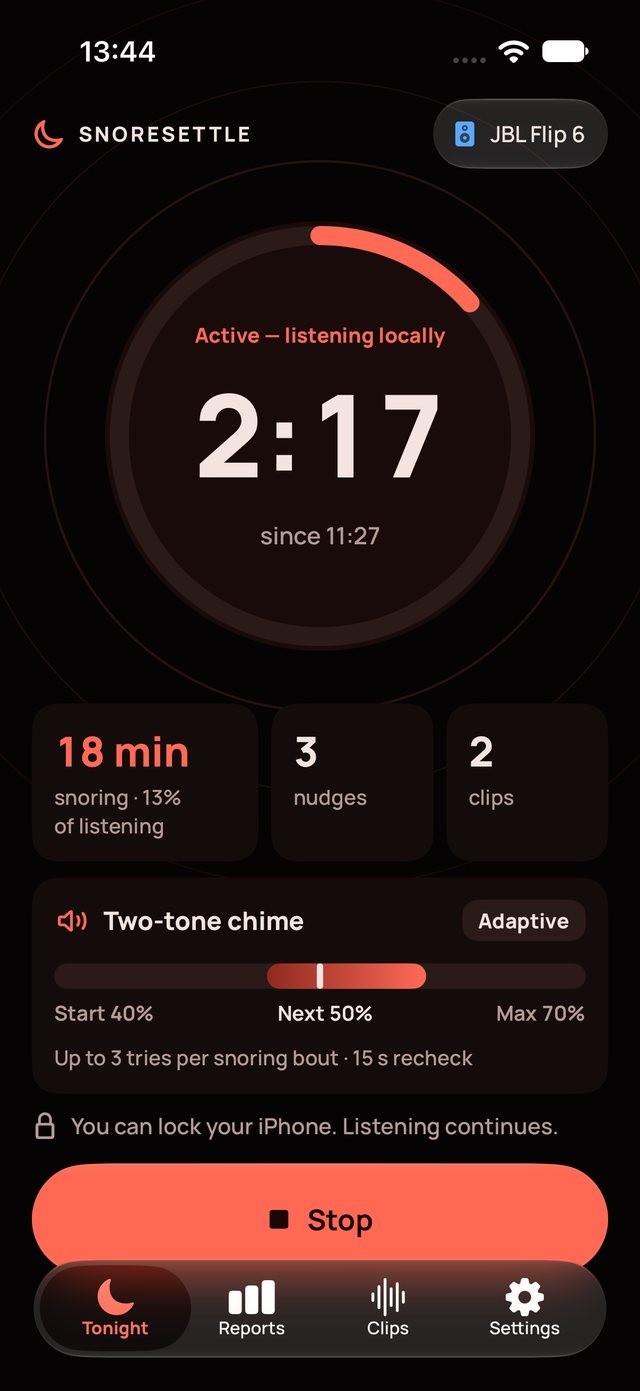
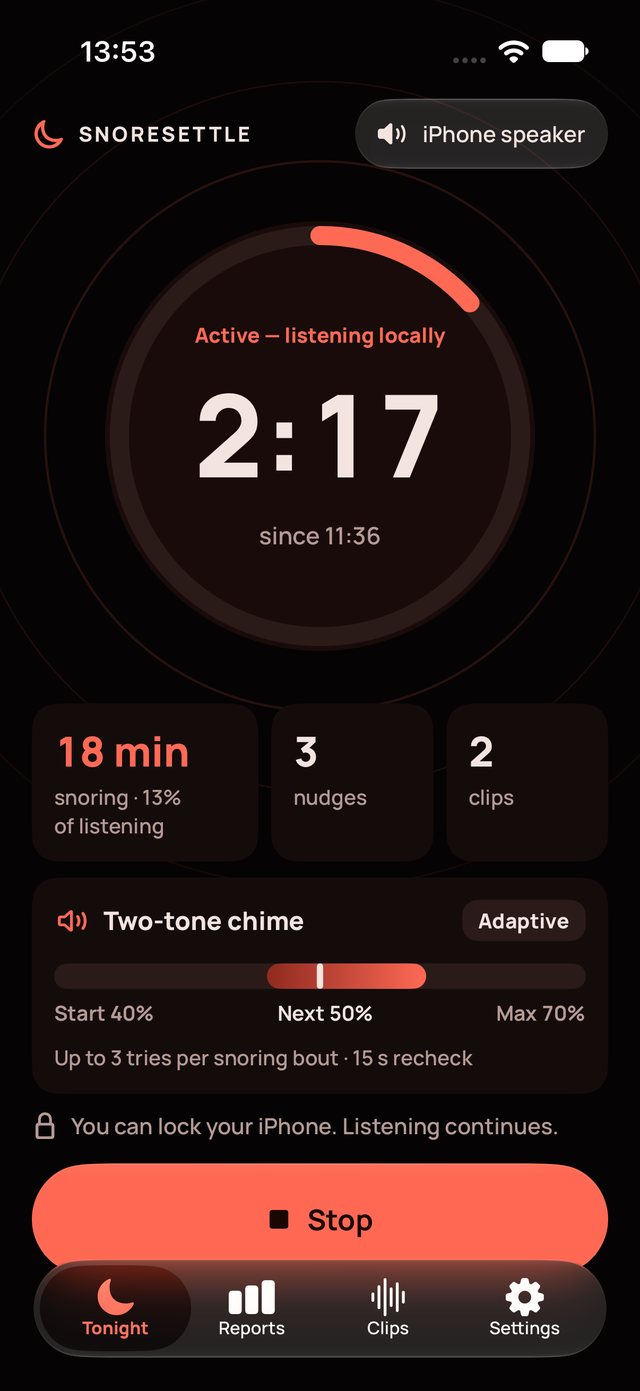
SnoreSettle Tonight screen while listening: a timer ring, snoring time, nudges and clips, and the Stop button
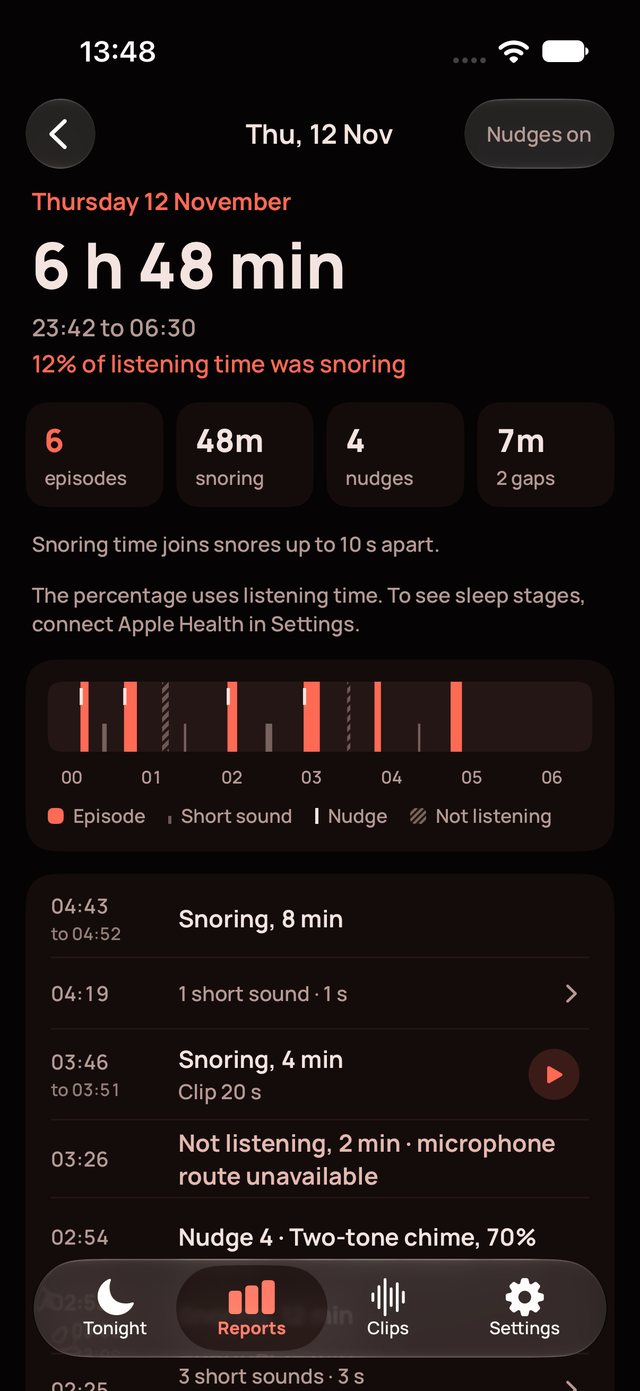
Thu 12 Nov · 23:42 to 06:3048 min snoring
EpisodeShort soundNudgeNot listening
How it works

It waits for a real run of snoring, then plays one short sound.

One snore does not start a nudge. SnoreSettle checks the room about once a second and acts only on a pattern.

  1. Start at bedtime

    Put the phone near the bed and tap Start. Nudges begin only after the start delay, so you can fall asleep first.

  2. It listens on the device

    A sound model on your iPhone or iPad checks the room about once a second. Audio is held in memory for about 40 seconds and then dropped.

  3. It nudges on a run

    Three snores within 30 seconds make a snoring run. SnoreSettle plays a short sound, then listens again before it tries once more.

  4. Read the night

    In the morning, see when snoring happened, each nudge, any time it was not listening, and a short clip of each snoring episode.

Start delay 15 min Recheck 15 s Volume Adaptive, up to your maximum Tries per bout your choice, or no limit Sounds Click, Two-tone chime
Features

Everything you need for the night, and nothing you have to sign up for.

Tonight

One button to start. One to stop.

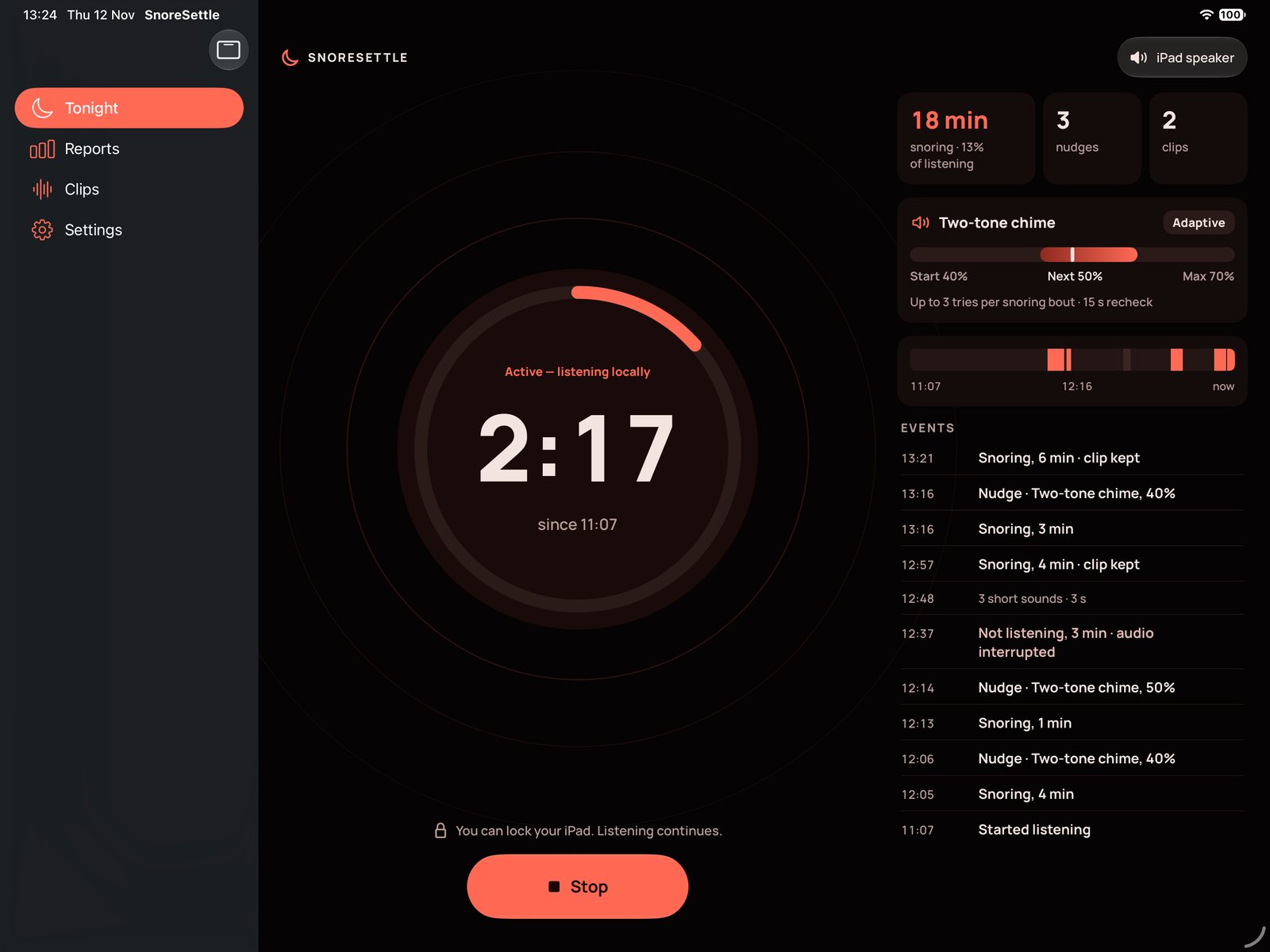
The Tonight screen shows how long SnoreSettle has listened, the snoring time so far, the nudges played and the clips kept. The speaker in use is always on screen.

  • Shows the speaker that nudges play on, built-in or Bluetooth
  • Says plainly when it is not listening, and why
  • Monitoring only mode listens and reports, and plays no sound
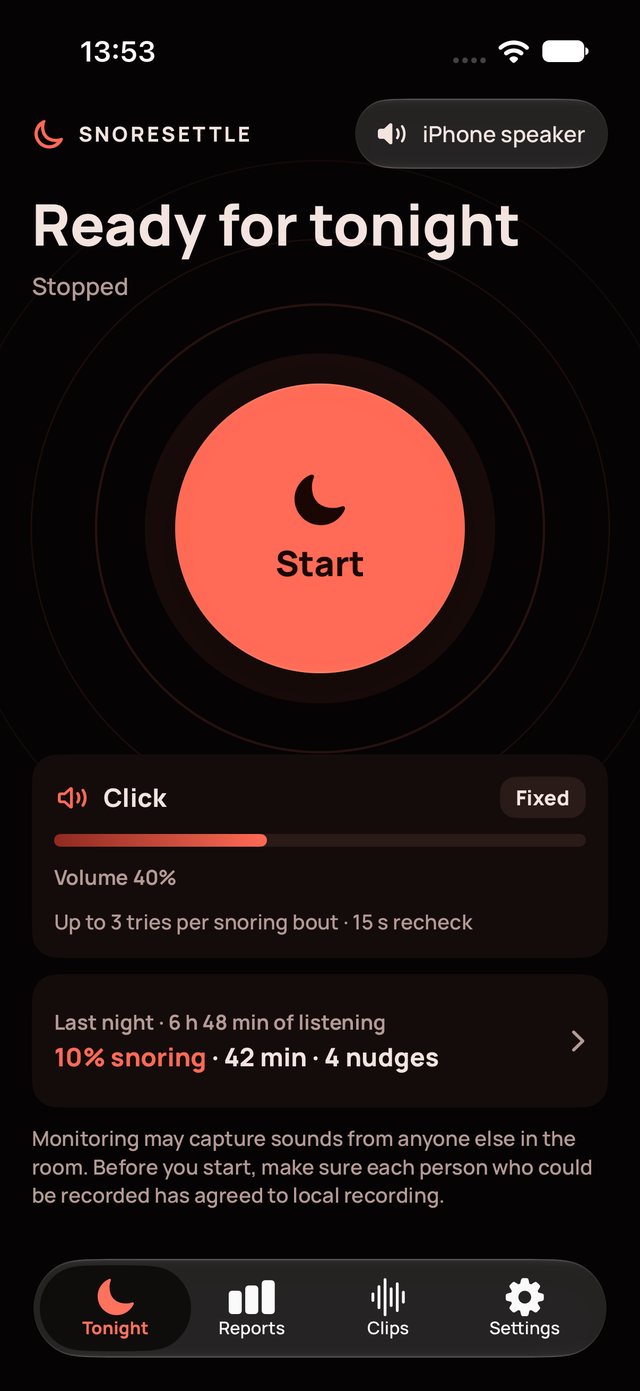
Tonight screen, ready to start, with last night's summary
Tonight screen while listening, with nudges set to play on a Bluetooth speaker
Lock Screen

Keeps listening with the screen locked.

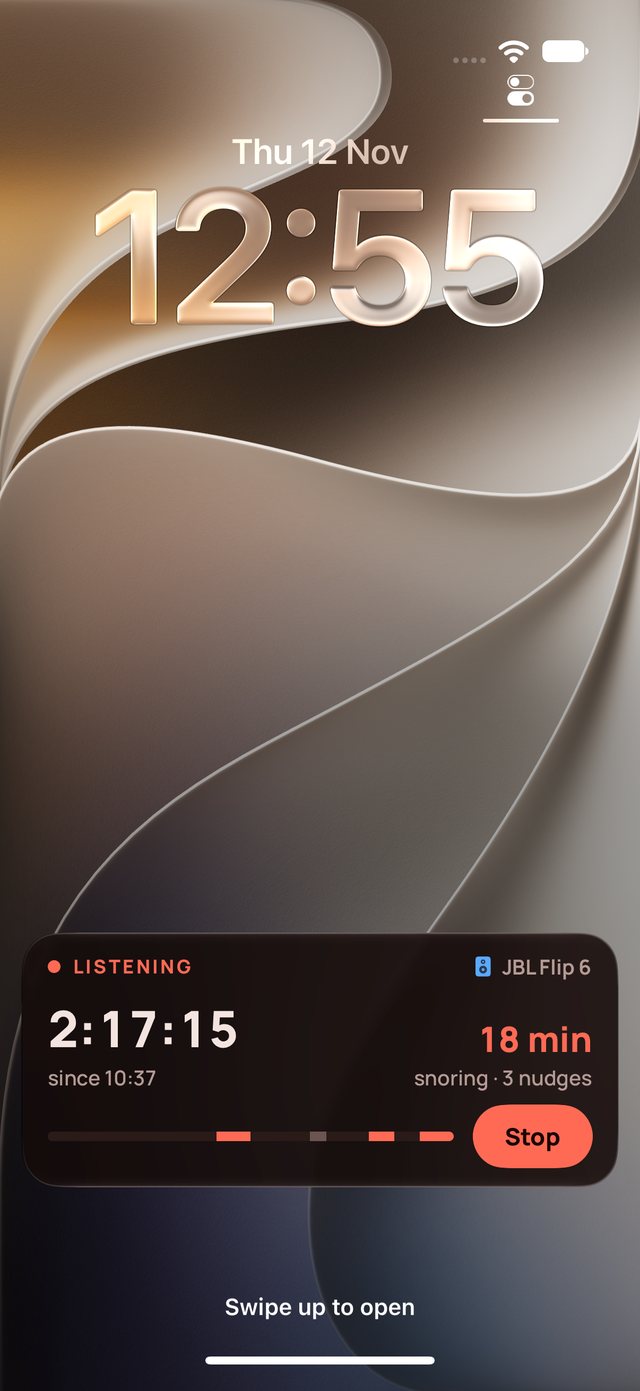
A Live Activity on the Lock Screen and in the Dynamic Island shows the listening time, the snoring so far and the speaker. Tap Stop without opening the app.

  • Stop from the Lock Screen
  • Follows the speaker if it changes during the night
iPhone Lock Screen with the SnoreSettle Live Activity: listening time, snoring minutes, nudges and a Stop button
Reports

See the whole night in one strip.

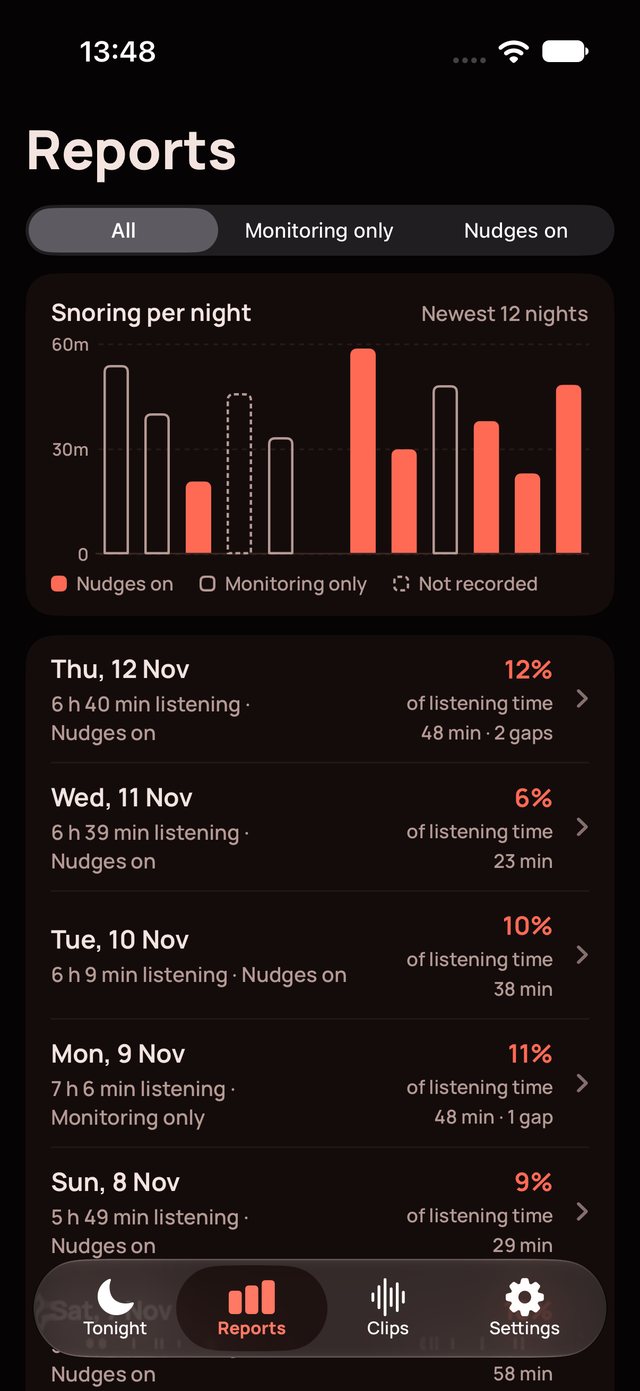
Each report shows snoring, nudges and any gap in listening on one timeline, with a list of every event below it. A 14-night chart shows how nights compare.

  • Snoring time, nudges, clips and gaps for every night
  • Filter by nights with nudges on, or Monitoring only
  • Compare nights without claims about cause or health
Reports list with a 14-night snoring chart
Report for one night: snoring time, nudges, clips, the night strip and the event list
Apple Health

Snoring over your sleep stages.

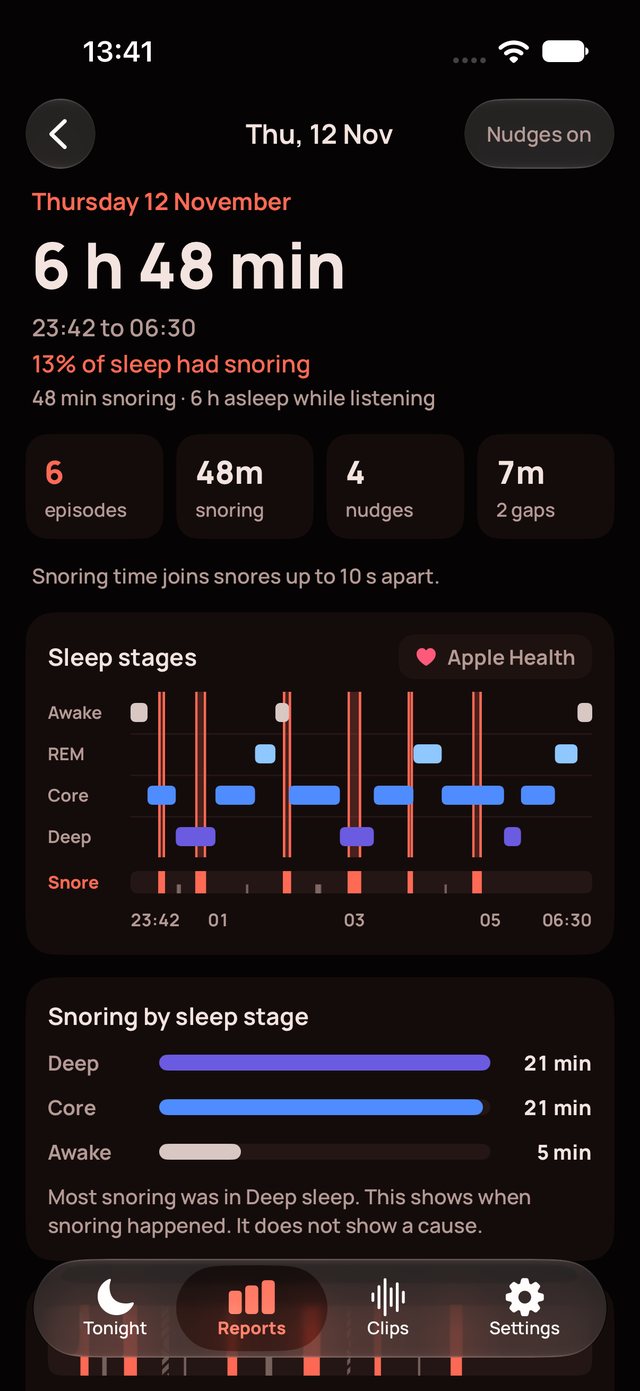
Connect Apple Health and each report shows snoring on top of your Awake, REM, Core and Deep sleep, with the share of sleep that SnoreSettle heard as snoring.

  • Optional, and read only: SnoreSettle writes nothing to Health
  • Sleep data is read on the device and stays there
Report with Apple Health sleep stages and snoring shown over them
Clips

Hear what it heard.

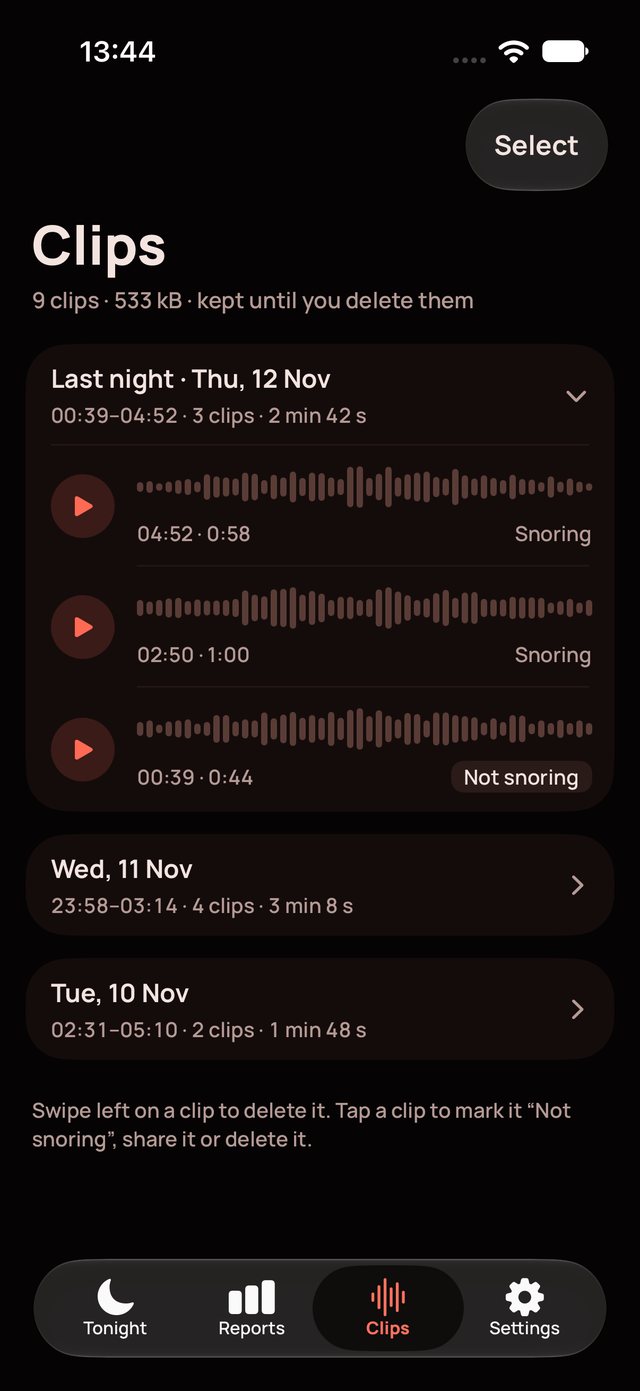
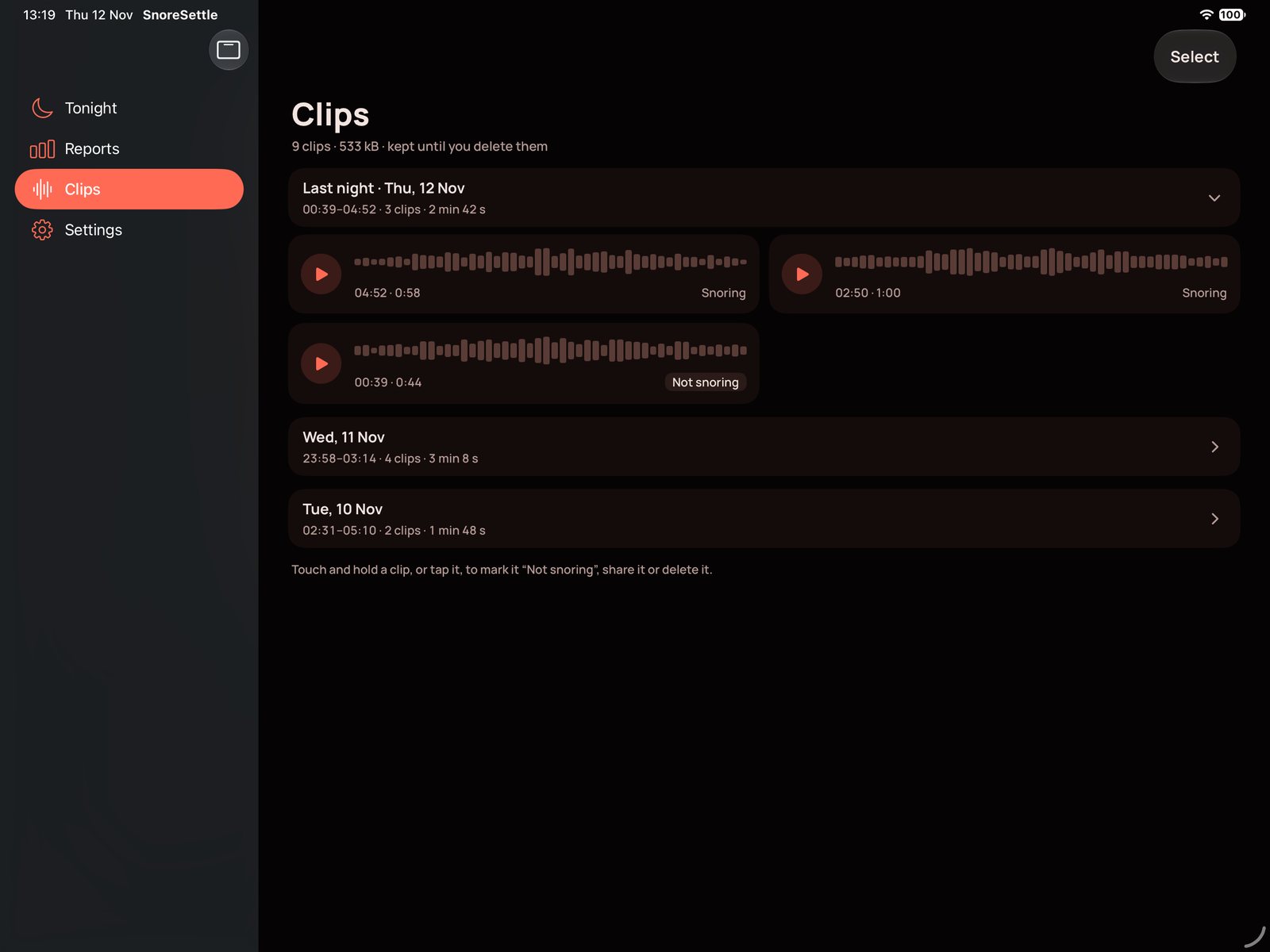
SnoreSettle keeps one short clip for each snoring episode, from about 10 seconds before the first snore to 15 seconds after the last. It never records the whole night.

  • Waveforms, play, pause and resume
  • Mark a clip "not snoring" if the sound was something else
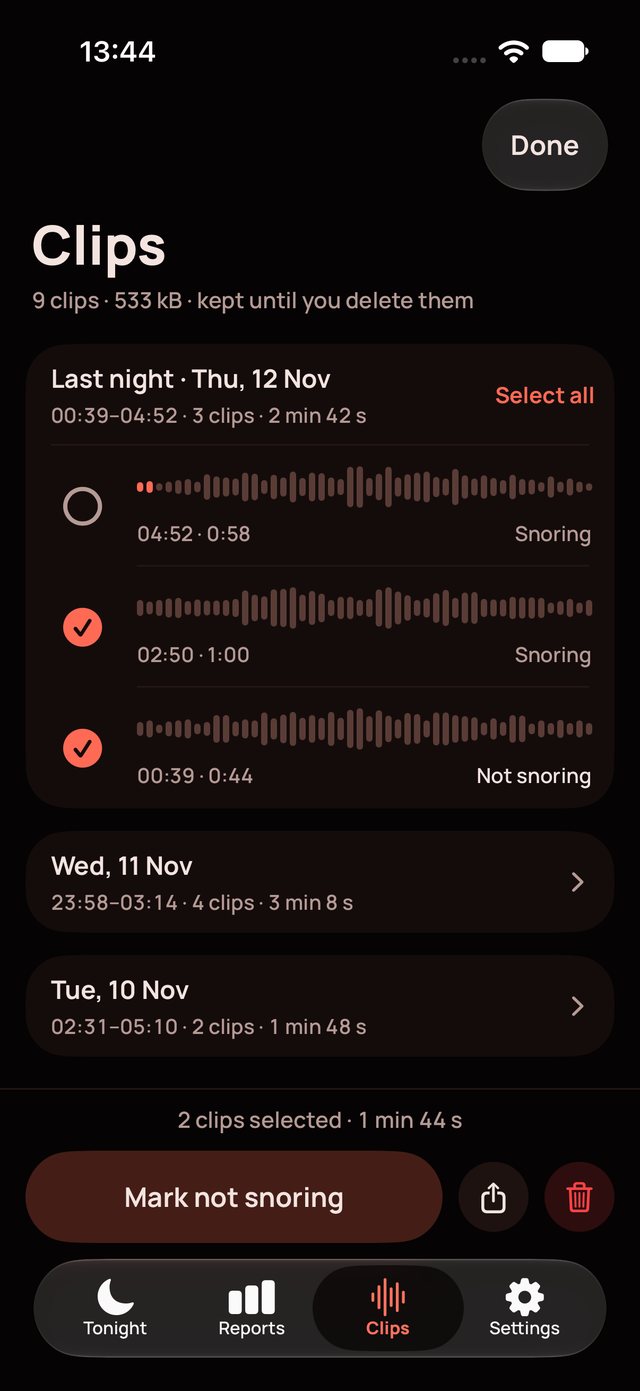
  • Select several clips to mark or delete them together
Clips screen with waveforms grouped by night
Clips in Select mode with two clips selected

Your speaker, your volume

Play nudges on the built-in speaker, or pick a Bluetooth or AirPlay speaker. If that speaker drops out, nudges move back to the built-in speaker at your volume.

Settings you can feel

Set sensitivity, the start delay, the recheck time, fixed or adaptive volume, a maximum volume and the tries per bout. Preview each sound before you sleep.

Truthful about gaps

If a call, an alarm or a lost microphone stops listening, the report shows the gap. Time without audio never counts as listening time.

Respects the room

Setup asks you to get consent from anyone else who sleeps in the room. SnoreSettle hears any snore in the room and does not identify who it came from.

Plain words

Every screen uses short, plain sentences and scales with Dynamic Type, up to the largest accessibility sizes.

Reset any time

Put every setting back to its default with one tap. Your reports and clips stay.

iPad

Made for iPad too.

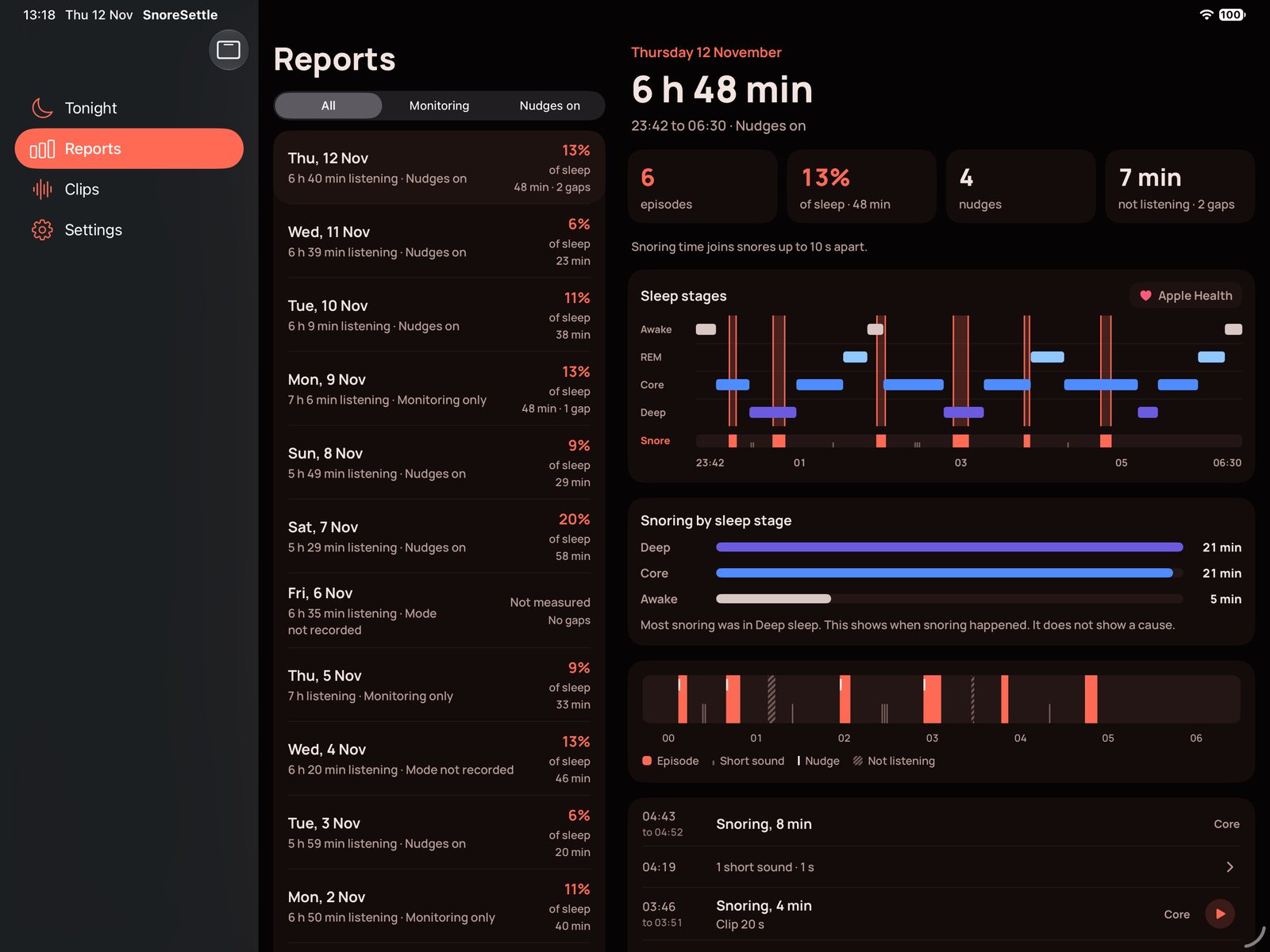
On iPad, SnoreSettle uses a sidebar and side-by-side views, so the report list and the night you pick sit on one screen.

SnoreSettle on iPad in landscape: the reports list beside one night, with sleep stages from Apple Health
SnoreSettle on iPad: the Tonight screen while listening
SnoreSettle on iPad: clips with waveforms
Privacy

Your nights stay on your device.

SnoreSettle has no account, no server and no audio upload. The sound model runs on your iPhone or iPad.

Read the privacy policy

Listening
Audio is analysed on the device. The last 40 seconds or so are held in memory only, then dropped.
Clips
One short clip for each snoring episode is saved on the device. Nothing else is recorded. You delete clips when you choose.
Reports
Saved on the device when you tap Stop.
Apple Health
Optional. Sleep stages are read on the device. SnoreSettle writes nothing to Health.
Sign-up
None. No account, no email, no ads and no tracking.

SnoreSettle is experimental. It is not a medical device. It does not diagnose or treat any condition, including sleep apnoea. If you are worried about your snoring or your sleep, talk to a doctor.

Roadmap

What comes next.

The next update is built and in testing. Everything after it is a plan, not a promise, and has no date yet.

Planned

Apple Watch app

Start, stop and see last night from your wrist.

Watch complications

Last night's snoring, or the listening time, on your watch face.

Exploring

A wrist tap first

A gentle tap on the wrist before any sound, with the sound only if the snoring goes on. We are checking that the watch can do this on time at night.

Later

Scheduled sessions

Start and stop listening at set times.

Export reports

Save a night's report as a file.

Design concept

SnoreSettle on Apple Watch

An early design for the watch app: the listening time, the snoring so far and a Stop button for the iPhone session. The final app can look different.

Questions

Good to know.

How do I join the beta?

1. On your iPhone or iPad, open the SnoreSettle beta link.

2. Install TestFlight from the App Store if you do not have it.

3. In TestFlight, tap Accept, then Install.

The beta is free. To send feedback, take a screenshot while you use the app, or open TestFlight and tap Send Beta Feedback.

Does SnoreSettle record the whole night?

No. It holds about 40 seconds of audio in memory while it listens, and drops it as it goes. It saves only one short clip for each snoring episode. You can delete any clip.

Does any audio leave my phone?

No. SnoreSettle makes no server request and uploads no audio. There is no account. When clip sharing comes, a clip leaves the device only when you share it.

Will it wake the person next to me?

The nudge is short. With Adaptive volume it starts low and goes up only on the next try, never above the maximum you set. You choose the tries per bout. Monitoring only mode plays no sound at all.

Can it tell whose snore it heard?

No. It detects snoring from anyone in the room. Ask everyone who sleeps in the room before you use it.

Does it work with the screen locked?

Yes. Start a session and lock the phone. The Live Activity shows the listening time and a Stop button. Keep the phone on a charger for a full night.

Can nudges play on a Bluetooth or AirPlay speaker?

Yes. Pick the speaker in Settings. If it disconnects, nudges play on the built-in speaker at your volume.

Do I need Apple Health or an Apple Watch?

No. Apple Health is optional, and adds sleep stages to your reports. The Apple Watch app is on the roadmap.

Is it a medical device?

No. SnoreSettle is experimental. It does not diagnose or treat snoring, sleep apnoea or any other condition. If you are worried about your sleep, talk to a doctor.

More help is on the support page.

Try SnoreSettle tonight.

The public beta is open on TestFlight. The App Store release is coming soon.

Join the beta on TestFlight Coming soon to theApp Store